
I have installed a standalone SQL Server instance. Now, i will be connecting to the database engine using sqlcmd command line utility.
Computer Name: WIN-O9RTBA5A4VU Named Instance: MYSQLDB
Verify that the SQL service is running using below command:
sc query <default instance name>
or, if using named instance as in my case, use below command:
sc query mssql$<instance name>
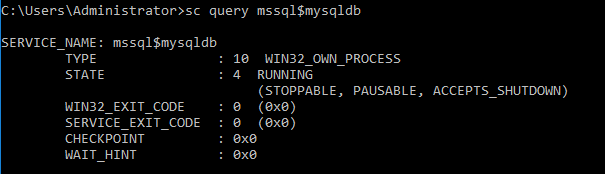
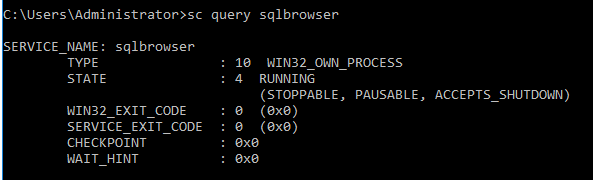
Verify if SQL Browser service is running as well.
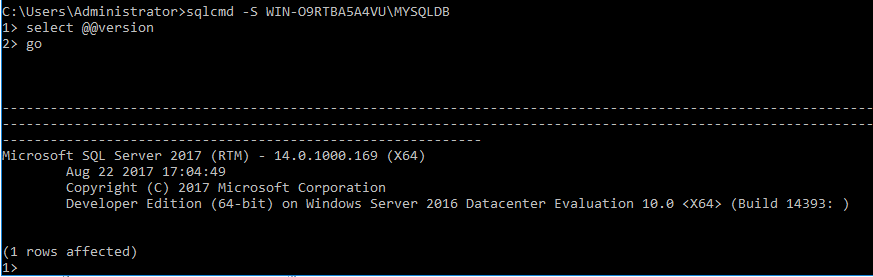
Connect to the Database Engine by specifying the instance name:
sqlcmd -S <machine name>
sqlcmd -S <machine name>\<instance name>
Connect to the Database Engine by specifying the IP address:
sqlcmd -S 127.0.0.1
sqlcmd -S 127.0.0.1\<instance name>
Connect to the Database Engine by specifying the TCP\IP port number:
sqlcmd -S tcp:<machine name>,<port number> sqlcmd -S <machine name>,1433
sqlcmd -S <machine name>,1691
sqlcmd -S 127.0.0.1,1433
sqlcmd -S 127.0.0.1,1691
To connect using named pipes:
sqlcmd -S np:\<machine name>\<pipe name> sqlcmd -S np:\ComputerA\pipe\sql\query sqlcmd -S np:\127.0.0.1\pipe\sql\query
Connect to a named instance instance:
sqlcmd -S np:\ComputerA\pipe\MSSQL$<instance name>\sql\query
sqlcmd -S np:\127.0.0.1\pipe\MSSQL$<instance name>\sql\query
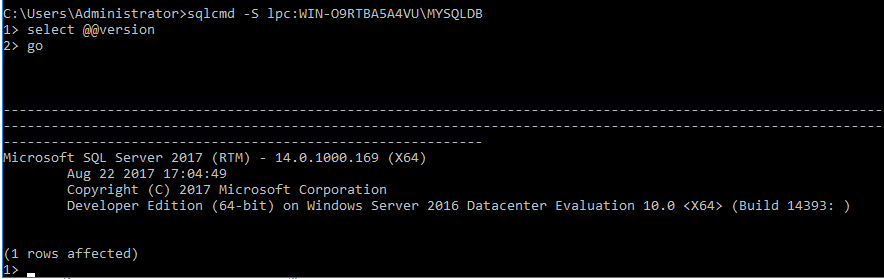
To connect using shared memory (a local procedure call) from a client on the server:
sqlcmd -S lpc:<machine name> sqlcmd -S lpc:<machine name>\<instance name>
 Database Hustler